Building a Starter Site Template You Can Resell to Multiple Clients
Build a WordPress starter template you can resell across clients. Cut per-project time 40-60%, lift gross margin 15-25 points. 5-component playbook.
Building a Starter Site Template You Can Resell to Multiple Clients
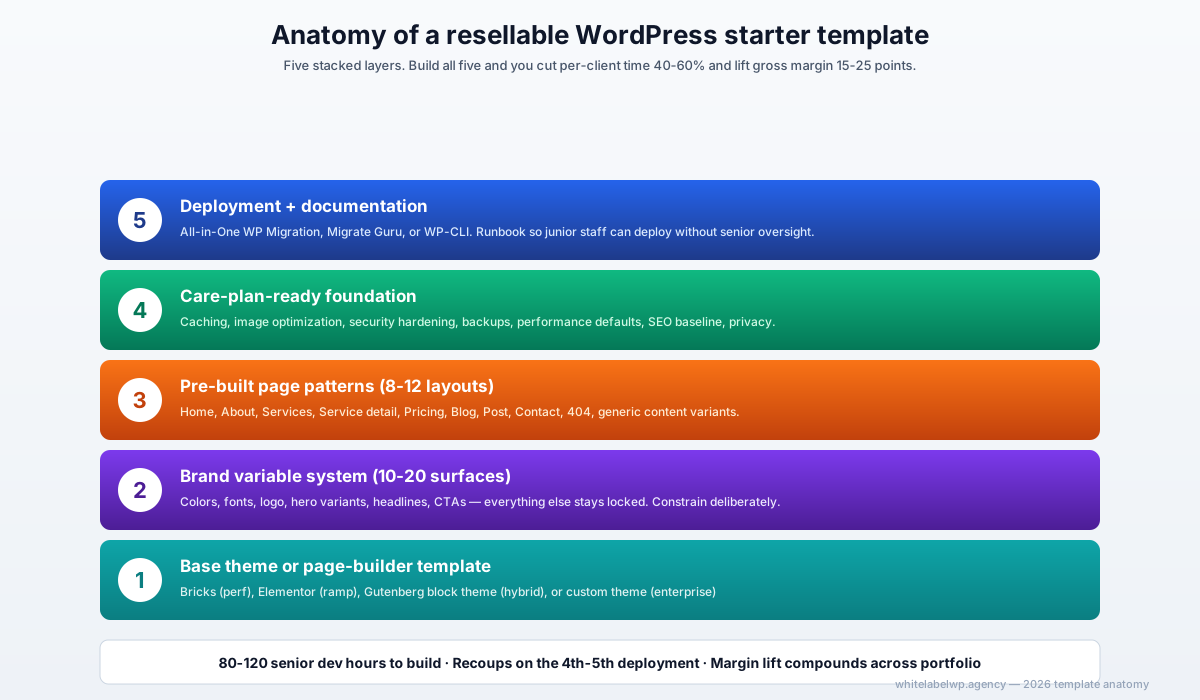
A reusable WordPress starter site template is one of the highest-ROI investments an agency can make. Done right, it compresses per-client build time by 40-60% and lifts gross margin by 15-25 points on standardized project work. The keys are: build it on top of a stable page builder or block theme, keep customization surfaces deliberately limited (10-20 brand variables, not 200), bake in care-plan-ready architecture from day one, and document it so junior team members can deploy it without senior oversight. Done wrong, starter templates become technical debt that slows future projects.
The honest version: most agencies that try to build a starter template build it too flexible. They imagine “this template will work for any client” and end up with something that works for none. The good templates are deliberately constrained.
Why agencies build starter templates
Three forces converge:
- Margin pressure on standardized work. Brochure sites, small WooCommerce stores, and basic content sites have commodity pricing pressure. Without a template, those projects hit 35-45% gross margin. With a template, they hit 60-70%.
- Throughput limits. An agency with senior dev capacity for 4 projects a month can’t take a 5th regardless of pipeline. A template that drops per-project time by 50% effectively doubles capacity without hiring.
- Productization as a commercial strategy. Agencies offering productized website services (“websites in 3 weeks, $X price”) need a technical artifact that makes the timeline and price feasible. The starter template is that artifact.
For agencies under $1M in revenue, a starter template often is the difference between margin-compressed brochure work being economically viable or not.
The 5 components of a resellable starter template
1. Base theme or page-builder template
The foundation. Three options, in descending order of how often we see them work for agencies:
- Elementor or Bricks template — the page-builder template gets duplicated and customized per project. Fastest to ship initial template, fastest to deploy per client, requires page-builder license per client site.
- Gutenberg block theme — a child theme of Twenty Twenty-Four/Twenty Twenty-Five or a base theme like GenerateBlocks Pro, with custom block patterns. Better performance, native to WordPress, growing as a 2026 option.
- Fully custom theme — own everything end-to-end. Best performance ceiling but slowest to deploy per client and requires senior dev on every deployment.
For most agencies, the page-builder route works. Custom themes only pay back if the agency is committing 5+ years to the stack and has dedicated senior dev capacity.
2. Brand variable system (10-20 customizable surfaces)
The single biggest design decision: what do you let clients customize, and what do you lock down?
A good starter template defines 10-20 brand variables that drive everything else:
- Primary, secondary, accent colors (3-5 colors)
- Heading font, body font (2 fonts)
- Logo (1)
- Hero image / video (1-3 variants)
- Footer content variants (2-3)
- Key page hero copy (5-8 headlines)
- Call-to-action button labels (2-3)
Everything else — layout proportions, spacing, component structure, transitions — stays locked. The template should produce a site that feels fully custom to each client while limiting the technical surface area the dev team needs to customize.
Resist the temptation to expose 50+ customization options. Each option is technical debt — a thing that can break on the next theme update, a configuration choice that needs documentation, a support ticket vector. Constrain deliberately.
3. Pre-built page patterns (8-12 layouts)
The library of page-level patterns the template ships with:
- Homepage (1-2 variants)
- About page (1)
- Services or products listing (1)
- Service or product detail page (1)
- Pricing page (1)
- Blog index (1)
- Blog single post (1)
- Contact page (1)
- 404 page (1)
- Generic content page (1-2 variants)
For most agency clients, 8-12 patterns cover 90% of the pages a site needs. The remaining 10% gets built per-project as one-off customizations.
For productized website services, define which patterns are included in the standard scope and which trigger a scope-change charge. Document this clearly so the sales conversation is unambiguous.
4. Care-plan-ready foundation (security, backups, performance)
A starter template that doesn’t bake in care-plan readiness creates ongoing operational debt. Every deployment becomes 4-8 hours of post-launch setup work that should have been part of the template.
The foundation should include:
- Caching configured (WP Rocket, FlyingPress, or LiteSpeed Cache)
- Image optimization automated (ShortPixel, Smush, or similar)
- Security baseline (Wordfence configuration, hardened wp-config, file permissions)
- Backup integration (BlogVault, UpdraftPlus, or hosting-native)
- Performance defaults (deferred JS, critical CSS, lazy-loaded images)
- Rank Math (or Yoast) preconfigured with sensible defaults
- Cookie consent and privacy compliance (CookieYes or similar)
Deploying a client site from the template should produce a site that’s already 80% care-plan-ready, not one that needs 8 hours of post-launch configuration.
5. Deployment and documentation
The deployment layer: how the template gets from “agency master” to “client production.” Three patterns work:
- All-in-One WP Migration export/import — simple, free, works at the WordPress level. Good for templates without complex hosting requirements.
- Migrate Guru or Duplicator Pro — more reliable for templates with custom plugins or complex configurations.
- WP-CLI scripts — for agencies with dev capacity to maintain CLI-driven deployment. Highest control, most automation potential.
Documentation: every starter template needs a one-page deployment runbook that a junior team member can follow. What to install, what to configure first, what brand variables to set per client, what tests to run before handing off.
Without documentation, the template only works while its original builder is still on the team. With documentation, it scales across the agency.
Build it on which stack
In 2026, the practical defaults:
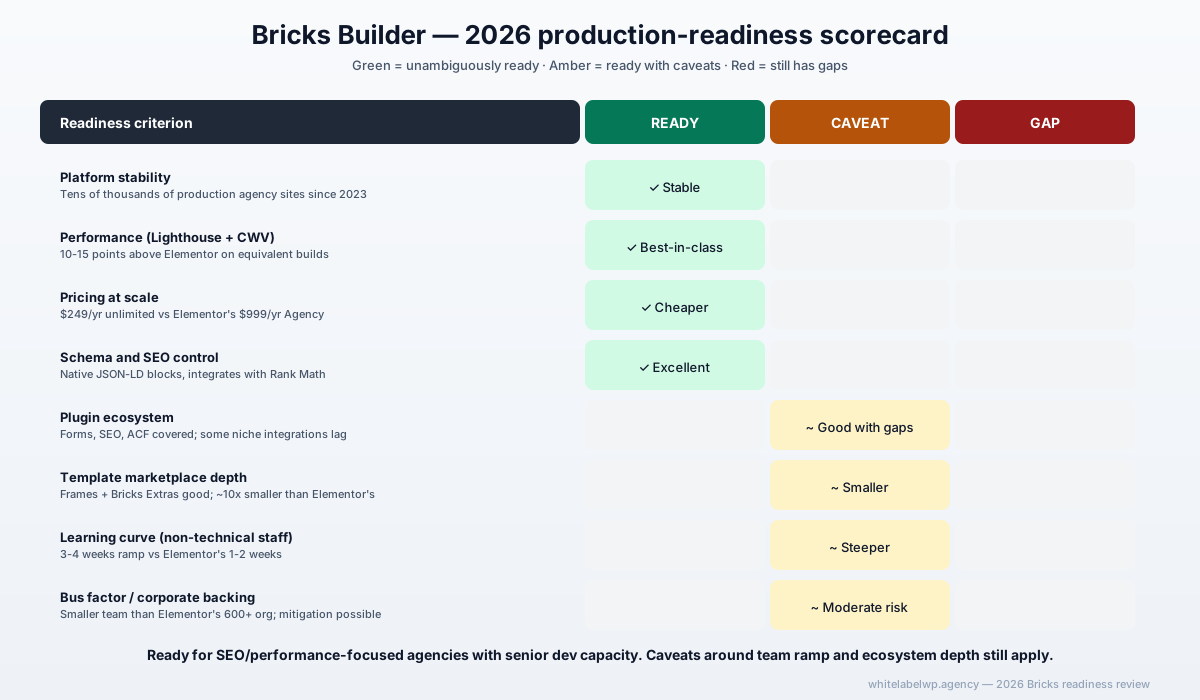
- For most agencies: Bricks Builder. Performance is class-leading, ecosystem has matured, $249/year unlimited licensing supports unlimited deployments. See our Bricks production-readiness review for the deeper case.
- For agencies with mixed-skill teams: Elementor. Ramp speed wins. Junior staff can deploy and customize without senior support.
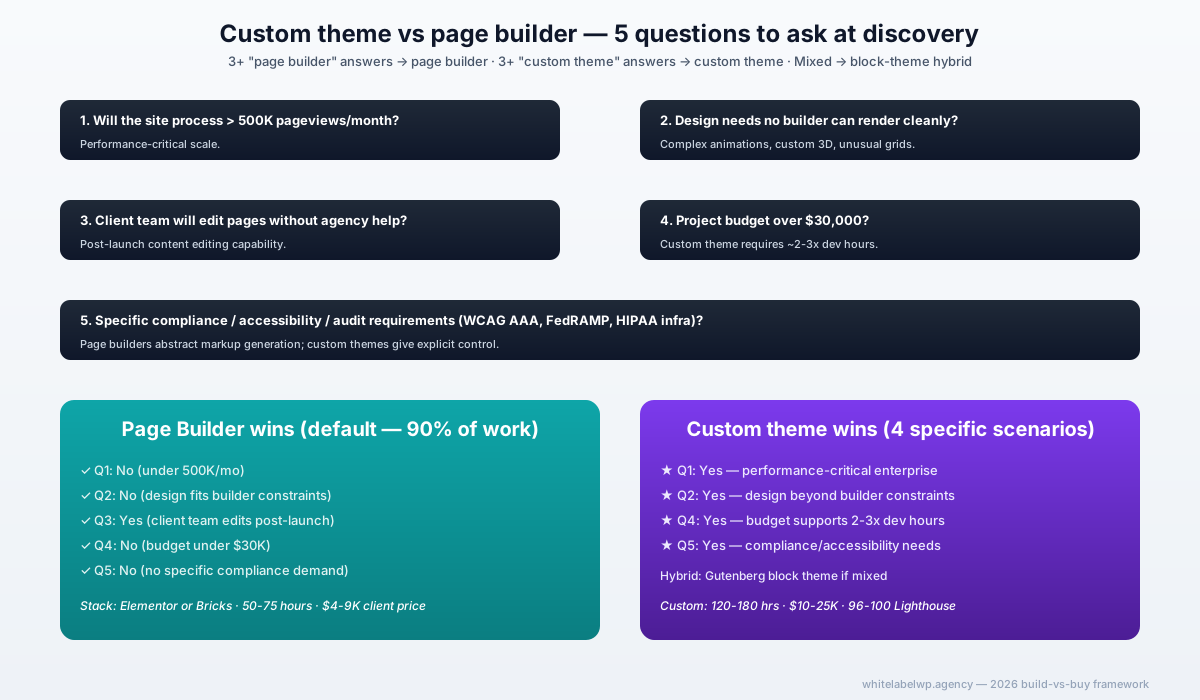
- For agencies with senior dev capacity and 3-5+ year stack commitment: Custom theme. Performance ceiling is highest. See custom theme vs page builder decision framework.
- For agencies experimenting with the native WordPress direction: Gutenberg block theme. Growing fast, performance excellent, native to WordPress without page-builder licensing.
Whichever stack you pick, commit to it. Building two parallel starter templates on different stacks doubles the maintenance burden without doubling the commercial output.
The build process (4 weeks)
A workable timeline for a first starter template build:
Week 1 — Architecture and design system. Define brand variable system, page patterns, customization scope. Build the brand variable layer in CSS custom properties or page-builder global styles. Lock the scope before any visual design work.
Week 2 — Core page patterns. Build the 8-12 page patterns inside the chosen stack. Test each pattern with at least three different brand variable configurations to verify the customization layer works.
Week 3 — Foundation layer. Add caching, security, backup, performance, SEO baseline configuration. Test the deployment process from master to a fresh staging site. Verify the new site is 80% care-plan-ready out of the box.
Week 4 — Documentation and dry runs. Write the deployment runbook. Deploy the template to two real client projects (or two staging clones if no real clients yet). Iterate based on what breaks. Final cleanup before declaring the template production-ready.
Total: 80-120 senior dev hours over 4-5 calendar weeks. Custom theme templates take 150-200 hours; page-builder-based templates take 60-100 hours.
How to price re-sells of the template
The mistake: pricing based on dev time. The right approach: pricing based on client outcome and competitive comparable.
| Client tier | Typical price (US-based agency) | Dev hours post-template |
|---|---|---|
| Small business brochure (5-10 pages) | $4,000-$6,000 | 15-25 hours |
| Mid-market services (10-25 pages) | $6,000-$10,000 | 25-40 hours |
| Larger / multi-stakeholder (25-50 pages) | $10,000-$18,000 | 40-65 hours |
| Custom-extension scope (e-commerce, membership) | $12,000-$25,000 | 50-100 hours |
The template doesn’t lower the price clients pay — it raises the margin the agency captures. A $6,000 site that took 60 hours pre-template (40% gross margin at $25/hr partner cost) becomes a $6,000 site that takes 25-35 hours post-template (60-70% gross margin).
When starter templates become technical debt
Three failure modes to avoid:
- Over-flexible templates. “This template will work for any client” turns into a template with 200 customization options, none of which produce a finished-looking site. Constrain to 10-20 surfaces.
- Templates that don’t get maintained. A template built in 2024 that hasn’t been updated against the page builder’s 2026 release becomes incompatible with current plugins. Budget 20-40 hours per year for template maintenance.
- Templates that block customization the sales team promised. If the sales team is regularly selling features the template doesn’t support, every “standard” project becomes a custom project with template-shaped constraints — worst of both worlds. Align sales and template scope.
A starter template is a living artifact. Treat it like a product the agency owns, not a one-time deliverable.
Where White Label WP Agency fits
We build starter templates for agency partners as a defined project engagement. Typical scope: 80-150 senior dev hours over 4-6 weeks, including documentation, brand variable system, and care-plan-ready architecture. Most agencies that commission a template recoup the build cost on their fourth or fifth deployment.
For agencies that want to use a template as the foundation for a productized website service, we also help structure the deployment process so the agency’s internal team can deploy without ongoing dev support from us — the template becomes a real asset, not a dependency.
Our build service covers starter template projects. Our care plans handle the ongoing template maintenance discipline. Book a partner call if you’re at the productization decision and want to walk through scope.
Frequently asked questions
How long does it take to build a reusable WordPress starter template?
For a well-scoped starter template covering 10-15 page patterns with brand variable customization, expect 80-120 hours of senior dev time spread across 3-5 weeks. Custom themes take longer (150-200 hours); page-builder-based templates (Elementor or Bricks) take less (60-100 hours). The first deployment to a client typically saves 20-30 hours; by the fifth deployment, savings have compounded to 40-60 hours per project.
How much can I charge for a website built on a starter template?
Agencies typically charge $4,000-$15,000 for a standardized site built on a starter template, depending on client tier and customization depth. The price doesn’t drop because the template exists — clients pay for the result, not the dev time. What the template changes is the margin: a $6,000 standard site that took 60 hours to build pre-template now takes 25-35 hours, lifting gross margin from 40% to 60-70%.
Should I build my starter template on Elementor, Bricks, or a custom theme?
For most agencies, Elementor or Bricks. The page-builder route gets you to market faster and lets non-technical staff deploy the template. Custom themes give better performance but require senior dev time on every deployment, which negates much of the template’s economic value. Choose based on your team makeup, not on theoretical performance ceilings.
What’s the difference between a starter template and a productized website service?
A starter template is the underlying technical artifact. A productized website service is the commercial offering built around it — fixed scope, fixed price, fixed timeline, defined customization options. The template enables the productized service; the productized service is how the agency sells it. Most agencies that succeed with productized services have a strong starter template; few agencies succeed with starter templates alone without commercial wrapping.
How do I handle client-specific customization on a starter template?
Define 10-20 customizable surfaces upfront — colors, fonts, logo placement, hero variants, key page patterns — and lock everything else. Clients get a real-feeling custom site within the defined customization range; the agency keeps deployment predictable. Beyond the defined customization, scope changes are priced separately as add-ons, not absorbed into the template’s standard price.
Can a white-label partner build my agency’s starter template?
Yes — White Label WP Agency builds starter templates for agency partners as a defined project engagement. Typical scope: 80-150 hours over 4-6 weeks, with documentation, brand variable system, and care-plan-ready architecture included. Most agencies that commission a template recoup the build cost on their fourth or fifth deployment.